
Efficient task management is the cornerstone of productivity, whether for individuals, small teams, or large organizations. In a world where deadlines, multiple projects, and shifting priorities are constant, Tasking stands out as a top-notch task management solution that simplifies planning, enhances collaboration, and ensures projects are executed seamlessly. This guide provides a comprehensive look at Tasking, exploring its features, benefits, and strategies to maximize productivity.
Centralized Task Management
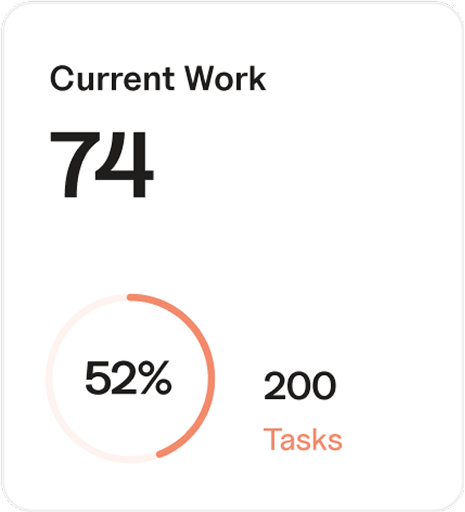
Tasking centralizes all tasks in one intuitive platform, providing a single source of truth for projects and responsibilities. Every task, deadline, and priority is tracked in real time, giving team members and managers a clear overview of work progress. By eliminating fragmented spreadsheets, email chains, and scattered notes, Tasking ensures everyone knows what to do, when to do it, and who is responsible. Centralized task management reduces confusion, prevents bottlenecks, and ensures that projects move forward smoothly.
Seamless Collaboration
Collaboration is effortless with Tasking. Team members can communicate directly within tasks using comments, mentions, and file attachments. This keeps all relevant information in context, reducing miscommunication and delays. Real-time updates allow teams to respond immediately to blockers or changes, while shared project boards ensure everyone is aligned with team goals. For remote or hybrid teams, Tasking maintains productivity by facilitating collaboration regardless of location or time zone.
Visual Task Tracking
Tasking offers multiple ways to visualize tasks and progress, including Kanban boards, Gantt charts, calendar views, and list layouts. Visual tracking enables teams to quickly identify delays, dependencies, or overloaded members. Managers can reassign priorities or adjust resources dynamically, keeping projects on track. Seeing tasks visually completed also motivates team members, giving them a sense of accomplishment and clarity on what remains to be done.
Automation to Streamline Workflows
One of Tasking’s most powerful features is automation. Recurring tasks, reminders, and workflow triggers can be automated, saving time and reducing manual effort. For example, weekly reports, follow-ups, or status updates can be generated automatically, freeing teams to focus on high-priority or creative work. Automation reduces human error, ensures consistency, and makes workload management more efficient.
Integration with Popular Tools
Tasking integrates seamlessly with tools like Slack, Google Drive, Microsoft Teams, and calendar applications. This creates a unified ecosystem where work flows smoothly without switching between multiple platforms. Calendar integration allows deadlines and meetings to be viewed alongside tasks, helping teams plan efficiently. These integrations enhance efficiency, minimize errors, and improve collaboration across different tools.
Enhanced Accountability
Tasking fosters accountability by allowing supervisors to assign tasks with clear deadlines and responsibilities. Each team member understands their role, which reduces ambiguity and ensures consistent delivery. Progress tracking provides transparency for managers, helping them monitor workloads, address delays, and support team members proactively. Clear accountability encourages ownership, improves efficiency, and drives team performance.
Analytics and Insights
Tasking’s analytics features provide actionable insights into team performance, task completion rates, and workload distribution. Supervisors and team leads can identify bottlenecks, optimize resource allocation, and implement data-driven improvements. Individuals can monitor personal performance, track time spent on tasks, and enhance time management. Over time, analytics help teams develop a culture of continuous improvement and measurable productivity.
Benefits for Individuals and Teams
Individuals benefit from Tasking by being able to prioritize tasks, break down complex projects, and focus on high-impact work. Personalized dashboards and reminders help manage workloads efficiently, reduce stress, and improve productivity. Teams benefit through enhanced collaboration, streamlined workflows, and better task visibility. Managers can monitor team performance, allocate resources effectively, and ensure consistent project outcomes.
Practical Use Cases
- Marketing Teams: Manage campaigns, schedule content, and track deadlines.
- Software Development Teams: Track features, bugs, and sprints with visual tools like Kanban boards.
- Sales Teams: Follow up with leads, automate recurring reminders, and track client tasks.
- HR Teams: Manage recruitment pipelines, onboarding tasks, and employee training schedules efficiently.
Tips for Maximizing Tasking
- Start each day by reviewing high-priority tasks and deadlines.
- Use labels, tags, or color-coding to categorize tasks by urgency or importance.
- Automate recurring or repetitive tasks to save time.
- Communicate updates within tasks to maintain context and clarity.
- Monitor analytics to identify workload trends and optimize team performance.
- Link individual tasks to larger project goals to ensure alignment and focus.
Advanced Features to Explore
- Custom templates for recurring projects.
- Time-tracking for better workload management.
- Automated reporting to generate performance insights.
- Custom dashboards for individual or team progress tracking.
- Workflow automation to streamline complex processes.
Conclusion
Tasking is more than just a task management tool—it is a comprehensive platform designed to enhance productivity, collaboration, and accountability for teams of all sizes. By centralizing tasks, enabling seamless communication, providing visual progress tracking, offering automation, and delivering analytics, Tasking empowers teams and individuals to work smarter, stay focused, and consistently achieve their goals. Whether for managing daily responsibilities, complex projects, or team workflows, Tasking provides a top-notch, all-in-one solution for modern task management.