
In today’s dynamic work environment, productivity is more than just effort—it’s about strategy, organization, and efficient execution. Teams face multiple projects, tight deadlines, and overlapping priorities every day, making task management critical for success. Tasking’s app offers a complete solution for managing tasks, streamlining workflows, improving collaboration, and enhancing accountability. By integrating advanced task organization tools with real-time communication and analytics, Tasking transforms how teams work, allowing them to achieve more in less time.
Centralized Task Management
Tasking centralizes all tasks in one platform, providing a comprehensive view of ongoing projects, deadlines, and responsibilities. Team members no longer need to juggle spreadsheets, emails, or scattered notes. Every task, from simple to complex, is tracked in real time. Managers can assign priorities, monitor progress, and ensure alignment with project goals. This visibility reduces confusion, prevents bottlenecks, and allows teams to stay proactive instead of reactive. A centralized task board also encourages transparency, as everyone knows what needs to be done, who is responsible, and when tasks are due.
Seamless Collaboration
Collaboration within Tasking’s app is seamless. Team members can communicate directly in tasks through comments, mentions, and file attachments, eliminating endless email chains and ensuring context remains intact. Real-time updates allow members to respond immediately to changes or blockers, accelerating decision-making and reducing delays. Shared boards enable teams to work together efficiently, while permissions ensure the right people access the right tasks. For remote and hybrid teams, Tasking ensures that collaboration is uninterrupted, regardless of location or time zone differences.
Visual Task Tracking
Visual task tracking is a key advantage. Tasking provides multiple views, including Kanban boards, Gantt charts, calendar layouts, and list views, allowing teams to monitor progress visually. Managers can identify delays, dependencies, or resource overloads and adjust priorities accordingly. The ability to switch between views makes planning more intuitive and helps teams see the bigger picture, ensuring projects stay on track and deadlines are met. Visual tracking also boosts motivation, as team members can see completed tasks, progress, and upcoming goals.
Automation for Efficiency
Automation features save time and reduce manual effort. Recurring tasks, reminders, and workflow triggers can be set up in Tasking to handle repetitive processes. For instance, weekly reports, task escalations, or status updates can be automated, allowing teams to focus on high-priority or strategic work. Automation minimizes human error, ensures consistency, and enhances efficiency across all team activities. Combined with customizable notifications, the app ensures critical tasks are never missed.
Integration with Other Tools
Tasking integrates seamlessly with widely used tools such as Slack, Google Drive, Microsoft Teams, and email platforms, creating a unified work ecosystem. Teams no longer have to switch between applications or risk miscommunication. Calendar integrations allow deadlines to be visualized alongside meetings and appointments, helping team members plan their day more effectively. This interconnected workflow promotes efficiency, reduces friction, and ensures work is consistently organized.
Accountability and Transparency
Accountability is reinforced through clear task assignments, deadlines, and status tracking. Every team member knows their responsibilities and expected delivery times, creating a culture of ownership. Managers can quickly identify delayed tasks or overworked employees, allowing timely intervention. Transparent accountability ensures that teams function cohesively and projects move forward without unnecessary delays.
Analytics and Reporting
Analytics and reporting provide actionable insights for team optimization. Tasking generates performance reports, tracks completion rates, and monitors workload distribution. Teams can identify bottlenecks, understand productivity trends, and implement process improvements. Over time, these insights help refine workflows, allocate resources effectively, and build a culture of continuous improvement. The data-driven approach ensures decisions are informed, strategic, and measurable.
Benefits for Individuals
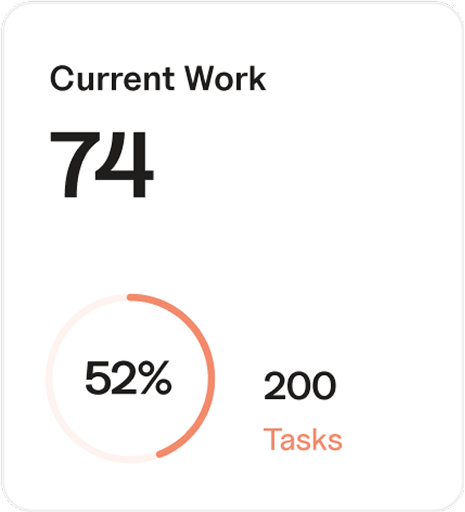
For individuals, Tasking simplifies daily planning. Users can prioritize tasks, set reminders, and track progress easily. Breaking large projects into smaller, manageable steps keeps work organized and reduces overwhelm. Personalized dashboards provide an instant overview of high-priority tasks, pending deadlines, and completed work. By organizing tasks effectively, employees can focus on what truly matters, reduce stress, and maintain a balanced workflow.
Benefits for Teams
Teams benefit from structured workflows that promote efficiency. Shared boards and task assignments enhance collaboration, minimize duplication of work, and ensure everyone is aligned with project objectives. Managers can oversee multiple projects simultaneously, monitor resource allocation, and ensure equitable distribution of responsibilities. This structure reduces errors, prevents missed deadlines, and creates a high-performing, accountable team culture.
Remote and Hybrid Team Support
Tasking is especially useful for remote or hybrid teams, offering cloud-based access and mobile apps that allow updates and communication from anywhere. Team members can check tasks, comment on updates, and track progress in real time, ensuring productivity is maintained regardless of location. This flexibility is critical for modern organizations where teams are dispersed across different time zones or work schedules.
Practical Use Cases
Marketing teams can manage campaigns, schedule posts, and track deadlines across multiple clients.
Software development teams can track features, bugs, and sprints while using Gantt and Kanban views to visualize project progress.
Sales teams can follow up with leads, track client tasks, and automate recurring reminders to improve conversion rates.
HR teams can manage recruitment pipelines, onboarding tasks, and employee training schedules efficiently.
Tips to Maximize Productivity
Begin each day by reviewing top priorities and deadlines.
Categorize tasks by urgency or importance for focused execution.
Use automation for repetitive or recurring tasks.
Schedule weekly reviews to reflect on progress and adjust workflows.
Link individual tasks to broader project objectives for goal alignment.
Advanced Features to Leverage
Custom templates for recurring projects or workflows.
Time-tracking to monitor task durations and optimize schedules.
Automated reporting for project updates and performance insights.
Custom dashboards for individual and team progress monitoring.
Workflow automation rules to move tasks, send reminders, or escalate issues automatically.
Conclusion
Tasking’s app is more than a task tracker—it’s a productivity engine that transforms how teams organize, collaborate, and execute their work. By combining centralized task management, seamless collaboration, visual tracking, automation, integrations, and analytics, it empowers both individuals and teams to work smarter, stay accountable, and deliver results consistently. Adopting Tasking creates structured workflows, improves efficiency, reduces stress, and cultivates a culture of continuous improvement. Teams using Tasking are better equipped to meet deadlines, achieve goals, and maintain long-term productivity and success.